

In This Article:
- Why Do Businesses Need IT Solutions?
- What IT Solutions Do Businesses Need?
- How Can Businesses Implement These IT Solutions
- What Are Some Fast and Inexpensive Solutions to Add Now?
- Why Strategic IT Investment Matters
- Make IT Work for Your Business
Today’s business landscape demands instant communication and remote collaboration via productivity-boosting tools and apps. By 2023, 95% of small businesses in the U.S. used at least one technology platform — and adoption rates are even higher among larger organizations with more resources and staff.
However, keeping IT systems secure and running smoothly comes at a cost. Budget-conscious businesses often face a choice between building and maintaining in-house solutions or partnering with professional providers like Ascendant Technologies for managed IT services that deliver reliable, scalable support.
Why Do Businesses Need IT Solutions?
Nearly every business relies on technology — from a budding solopreneur drafting their first business plan to a global corporation with thousands of employees. But that reliance brings risks. When solutions fail or underperform, the consequences can include costly downtime, security vulnerabilities and lost productivity.
Enterprises that choose efficient, scalable technology can unlock robust cybersecurity, lower operational costs and improved performance across the board. The result is a more resilient organization with a much higher growth potential.
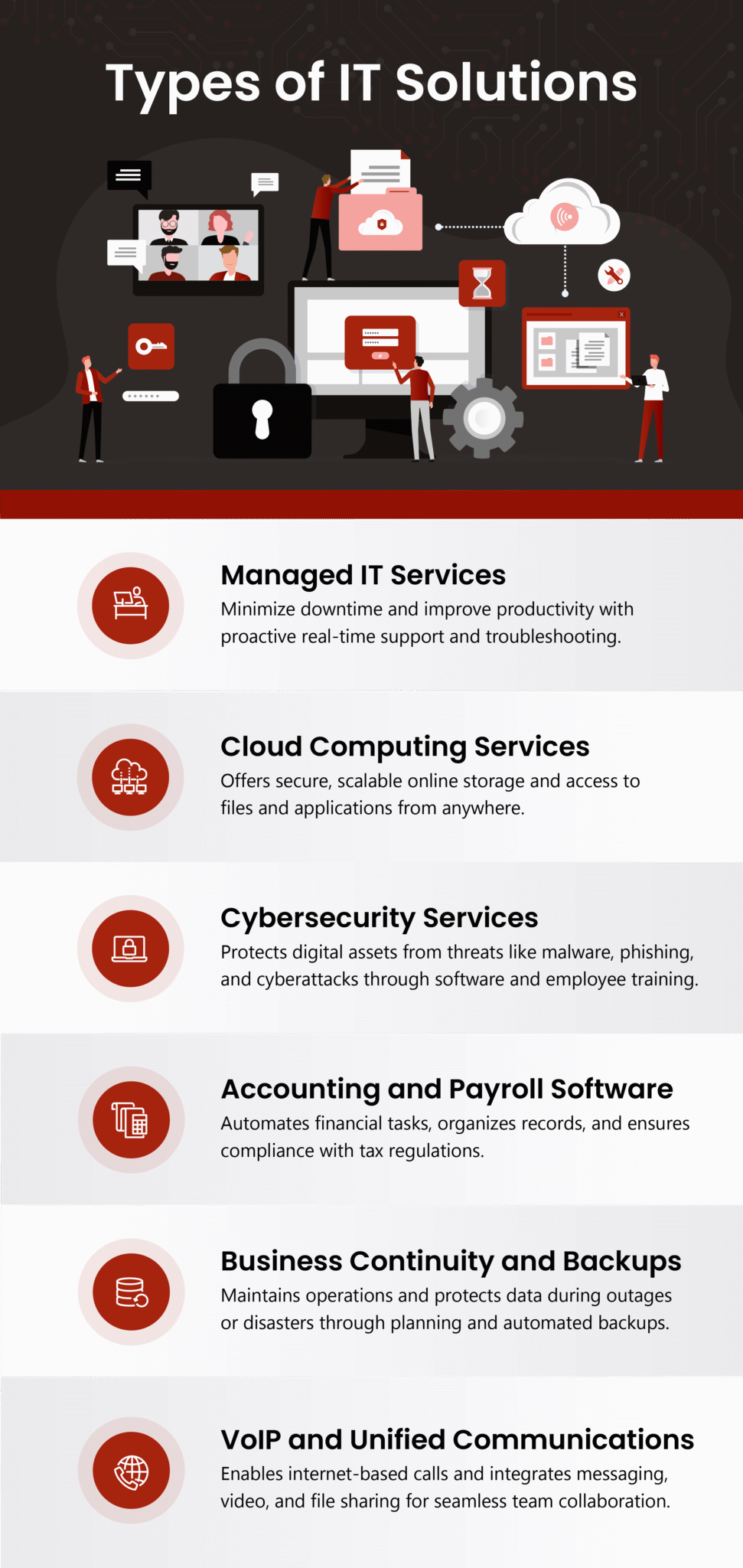
What IT Solutions Do Businesses Need?
You deserve an IT service tailored to your unique workflow. Here’s an overview of essential add-ons to consider.
Managed IT Services
Many businesses that rely heavily on their digital infrastructure use managed IT services to run their daily operations. Routine maintenance, troubleshooting and real-time support minimize downtime and maintain productivity.
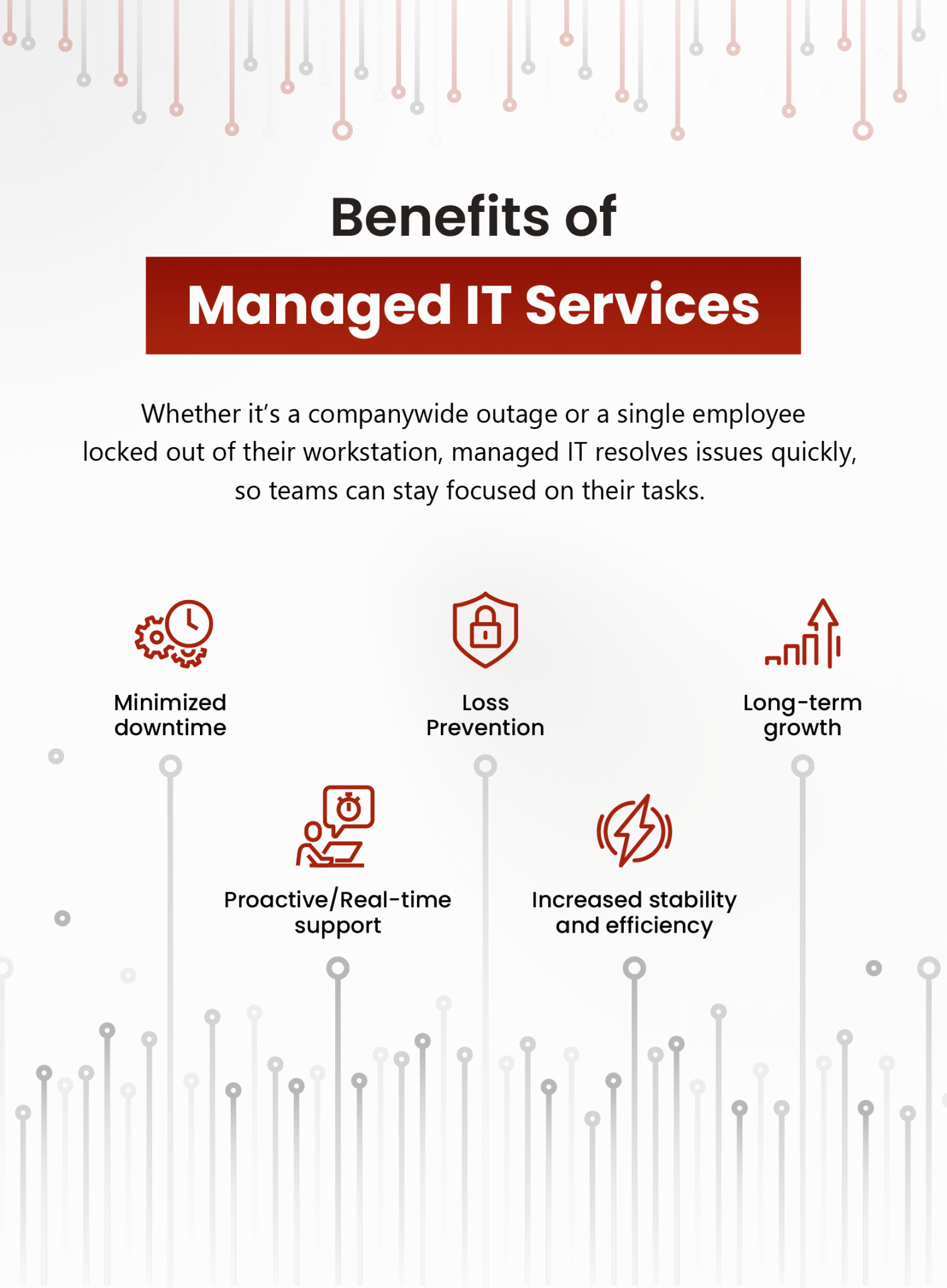
Whether it’s a companywide outage or a single employee locked out of their workstation, managed IT resolves issues quickly, so teams can stay focused on their tasks. That proactive support is invaluable during onboarding, transitions or unexpected disruptions.
While the monthly cost may cause thrifty business owners to hesitate, it helps to think of managed IT as an investment in stability, efficiency and long-term growth. Without it, frequent system failures and unresolved tech issues can lead to missed opportunities, lost revenue and wasted payroll hours.
Cloud Computing Services
Technology generates a massive amount of data. Businesses need secure, reliable ways to store and access emails, documents, spreadsheets and images without risking unauthorized exposure.
Some companies manage storage in-house, keeping data on local systems with limited access. But many have shifted to cloud services, thus eliminating the need for physical hardware and complex security infrastructure. Cloud providers offer built-in cybersecurity expertise, helping businesses protect sensitive data while reducing overhead.
Cloud services also boost productivity. Authorized users can access files from anywhere, enabling flexible work, secure sharing and seamless collaboration.
Costs vary widely, from a few dollars a month to enterprise-level subscriptions. Most providers charge only a few cents per gigabyte, allowing businesses to scale storage based on their needs and budget.
Cybersecurity Services
No matter where you choose to store your data, there are plenty of ways cybercriminals can exploit your business’s IT vulnerabilities and compromise your reputation.
- Phishing scams: Phishing tricks employees into handing over sensitive data or system access with emails that appear to come from trusted sources.
- Malware: Malicious software, aka malware, can allow the attacker to control devices and steal private information.
- Denial-of-service attacks: A DoS attack is when a cybercriminal overwhelms a server with traffic flooding, often to extort businesses into paying a ransom.
- SQL injection attacks: In an SQL injection attack, the attacker places malicious code into dataset inputs, enabling them to control the database.
A cybersecurity service provider can reduce these risks by installing protective software such as firewalls, antivirus and encryption tools to keep your data out of criminals’ hands. Many cybersecurity providers will also teach your staff to spot threats and prevent them from inadvertently helping a hacker.
Cybersecurity costs can vary widely and depend on which services you receive. Some providers charge an hourly rate, while others charge a flat monthly fee for each device they protect. The larger your business is, the more you can expect to pay for cybersecurity services.
Accounting and Payroll Software
Software designed to streamline invoicing, payroll and taxes can automate repetitive tasks, organize your financial documents, provide customizable reporting tools and help you comply with tax regulations. All these features can increase your accounting team’s productivity, reduce the risk of errors and save your business time and money.
Business Continuity and Backups
Continuity and backups are two separate strategies that let you keep operating and securing data despite a power outage, hardware failure or cyber threat.
A robust continuity strategy will allow your organization to maintain essential services, undeterred by disruptions. Building an effective plan starts with assessing potential risks and determining how to allocate limited resources in a crisis.
Professional data backup solutions protect files, software configurations and system settings — so teams can resume work without rebuilding their entire IT environment.
Components often include:
- Automated backups that run on a schedule without manual input
- Redundant systems that mirror essential functions and activate when primary systems fail
- Disaster recovery plans that guide restoration after a significant outage
While some businesses manage these systems in-house, many outsource to expert providers to ensure reliability and scalability. As you might expect, costs vary depending on scale. The investment is worthwhile if you consider the alternative. In a 2023 Uptime Institute data center survey, 54% of respondents reported outage costs exceeding $100,000, and 16% faced losses over $1 million. When viewed in that light, investing in continuity and backup safeguards against far greater risk.
VoIP and Unified Communications
Voice over Internet Protocol is an alternative to traditional phone service. Businesses that switch to VoIP can make domestic and international calls over the internet from either a phone or a computer. VoIP also provides other functions, such as call recording, dial-in conferencing and forwarding voicemails to your email.
VoIP can benefit your bottom line if your business regularly makes international calls. Unlike traditional phone lines, where you pay extra fees for calling far-off locations, VoIP connects you online.
Unified communications goes one step further. Often built around VoIP, it consolidates all tools like voice, video, messaging, file sharing and screen sharing into a single, integrated platform. Teams can collaborate seamlessly across devices and locations without juggling multiple apps or providers.
Centralizing communication simplifies IT management, reduces compatibility issues and streamlines support. Unified platforms also eliminate the need for separate phone systems, which offsets costs. VoIP services typically range from $10 to $40 per user per month, with volume discounts available for larger organizations. Unified communications platforms average around $791 per year per license — a cost many businesses justify by replacing legacy systems and improving team productivity.
How Can Businesses Implement These IT Solutions?
There’s no one-size-fits-all approach to implementing IT solutions. Every business has different goals, constraints and operational realities — especially those working with limited resources. Find a path that aligns with your needs, budget and capacity for change. Here’s a five-step framework to help you achieve this goal.
1. Assess Your Business’s Needs
Start by identifying what your business requires from an IT solution. A phased approach may be the most practical path if you’re working with limited resources. Prioritize the tools that solve your most pressing challenges or deliver maximum impact.
As you assess your needs, ask yourself:
- What are our short- and long-term goals?
- Where do we lose time, money or efficiency?
- How will each solution improve operations, customer experience or team productivity?
If your budget is tight, prioritize low-cost or free tools that add value. Many platforms offer complimentary tiers or open-source alternatives that can bridge the gap while you scale. If your team is small, look for solutions you can quickly implement and manage without a steep learning curve.
Having compared your priorities with your available resources, you’ll know which IT solutions to apply now and which ones can wait until you’re ready to expand.
2. Research Providers and Solutions
Once you’ve identified which IT solutions to prioritize, research the providers behind them. Look closely at their pricing models, target industries and the specific problems they solve. Not every tool will be a fit — so weigh your options carefully to find solutions that align with your business size, goals and budget.
Customer reviews offer valuable insight into real-world performance and support. Read feedback to learn how others in similar situations have experienced the platform.
Scalability matters, too. While free tools can be a starting point, they may not grow with your business. Choose solutions that meet your current needs and offer room to expand — so you won’t have to switch platforms as momentum builds.
3. Create a Plan
After selecting your providers and products, map the implementation. Include a budget, detailed timeline, measurable objectives and routes to overcome potential obstacles.
With this plan in place, your IT solution implementation will be faster, easier and less disruptive to your day-to-day operations.
4. Train Your Staff
Even the best IT solutions will fall short if your team doesn’t know how to use them. To maximize your investment, teach your staff to use the new tools so they can immediately integrate them into daily workflows.
Start by sharing training resources like step-by-step guides, video tutorials or quick-reference sheets. Then, host hands-on sessions where your team can explore the tools, ask questions and troubleshoot in real time. Encourage open dialogue so everyone feels informed.
When your team is confident, productivity follows. Well-trained employees adapt faster, make fewer mistakes and drive smoother implementation across the board.
5. Improve and Adjust Your Solutions
After rolling out a new IT solution, evaluate its performance. Has your team integrated it into their daily workflow? Does the tool help you meet your original goals? Could adjustments unlock more value?
Staff input is essential. Since they use these tools daily, they’ll spot opportunities or challenges you might miss. Check in regularly to learn what works, what doesn’t and how the solution aligns with your processes.
Maximize your implementation and build a sturdy foundation for future upgrades by remaining open to feedback and taking a flexible approach.
What Are Some Fast and Inexpensive Solutions to Add Now?
Even if you plan to make large-scale IT improvements down the road, you don’t have to wait to make meaningful progress today. These tools are simple to set up, require minimal training and often deliver immediate benefits in security, efficiency and peace of mind.
- Two-factor authentication: Add an extra layer of protection to password-protected accounts. Many platforms offer 2FA for free, making it a fast, effective way to boost security.
- Automatic software updates: Enable auto-updates to ensure your systems receive critical security patches and performance improvements without manual effort.
- Password managers: Stop wasting time resetting passwords or reusing weak ones. Password managers securely store credentials and streamline access across platforms.
- Data backups: Protect your business from unexpected data loss. Automated backups minimize disruption and help you recover quickly from system errors or accidental deletions.
Why Strategic IT Investment Matters
Many small businesses operate within tight financial constraints. When every dollar counts, it’s even more vital to invest wisely. Running a business strictly by budget can sometimes mean cutting corners in areas that are critical to long-term growth, including IT. However, reliable, scalable technology is the backbone of efficient operations, data security and customer experience. Strategic investments can save time, reduce risk and position your business to grow without breaking the bank.
Cutting corners may save money in the short term, but it often leads to inefficiencies, missed opportunities and costly setbacks. Underinvesting in IT weakens your ability to scale, adapt and compete. Think of a robust, well-planned IT budget as a growth strategy that drives ROI and supports mission-critical areas like operational efficiency, risk management and market relevance.
Make IT Work for Your Business
Every dollar counts for budget-conscious businesses, and today’s strategic IT investment is tomorrow’s success story. Core services like managed IT support and cybersecurity are essential for secure, efficient operations. Others, such as VoIP or accounting software, will net a return by streamlining workflows and improving decision-making.
Some of these tools are too valuable for your business to do without. Identify the solutions that are worth your hard-earned money, prioritize those that save or generate revenue and choose providers that align with your goals and budget.